

Prerequisites
You’ll need Orum administrator access and a Momentum admin account.
Ensure users exist in both systems with matching work emails.
- Orum Webhooks add-on: Your Orum plan must include the Webhooks add-on feature. This is required for the integration to work. View Orum plan details to confirm your plan includes webhooks.
- Momentum workspace permissions to install and manage integrations
Connect Orum to Momentum
Step 1: Get Your Webhook Signing Key from Orum
- Sign in to your Orum Admin Portal
- Navigate to Settings → System → Webhooks
- Locate or create your Webhook Signing Key
- Copy the signing key value
The webhook signing key is used to verify that webhook requests are genuinely from Orum. Keep this key secure and never share it publicly.
Step 2: Add the Signing Key in Momentum
- Log in to the Momentum Admin Portal
- Navigate to Integrations
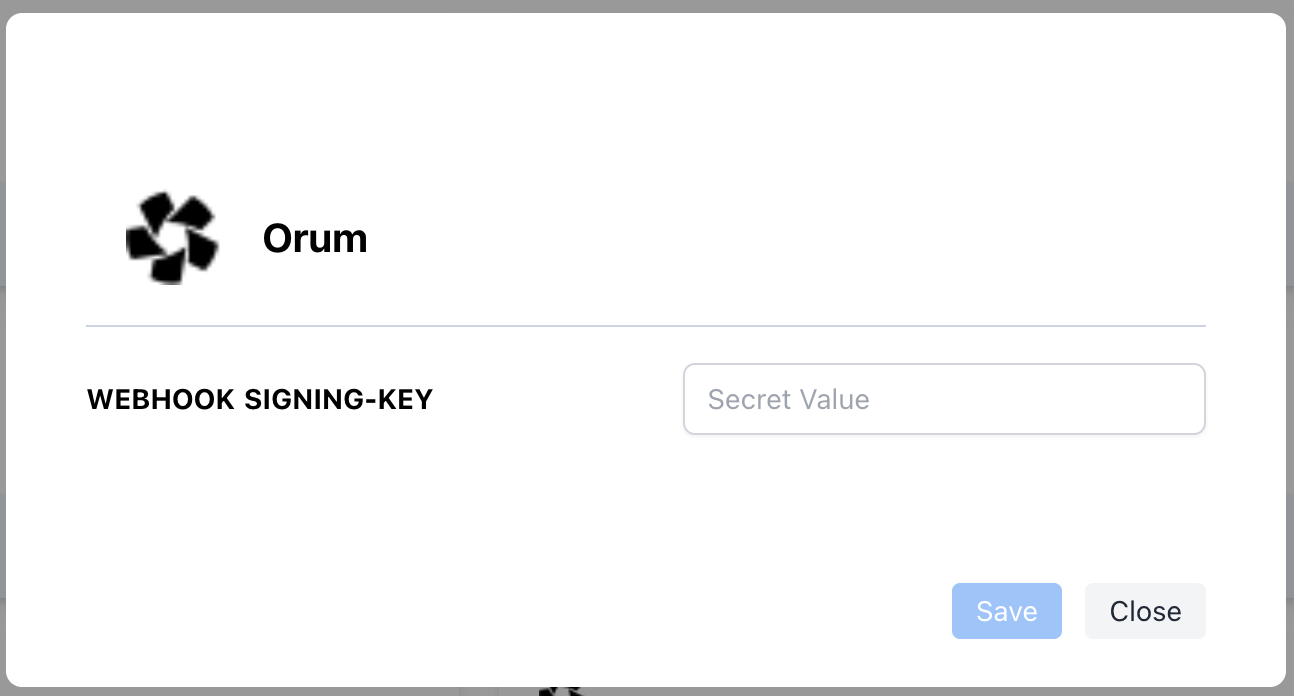
- Find Orum and click Secret Keys
- Enter your webhook signing key and Save
Step 3: Configure Webhook URL in Orum
- Return to your Orum Admin Portal
- Navigate to Settings → System → Webhooks
- Add a new webhook with the following settings:
- URL: (the webhook URL provided by Momentum)
- Save the webhook configuration
- Optional: Use Orum’s Test button to send a test event
Assign AI License Seats
To enable Orum call sync for specific users:- Log in to the Momentum admin page.
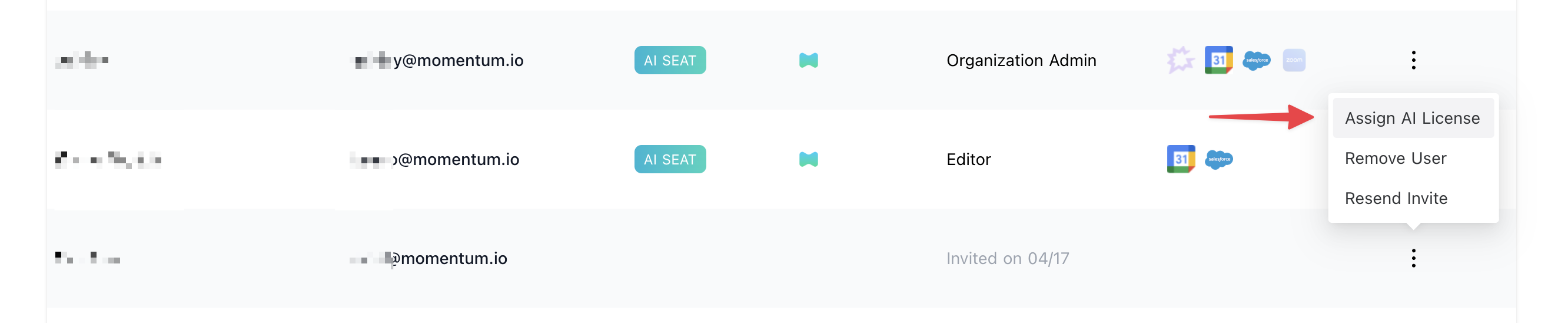
- In the Team section, invite or locate users to license.
- Click Assign AI License for each user.
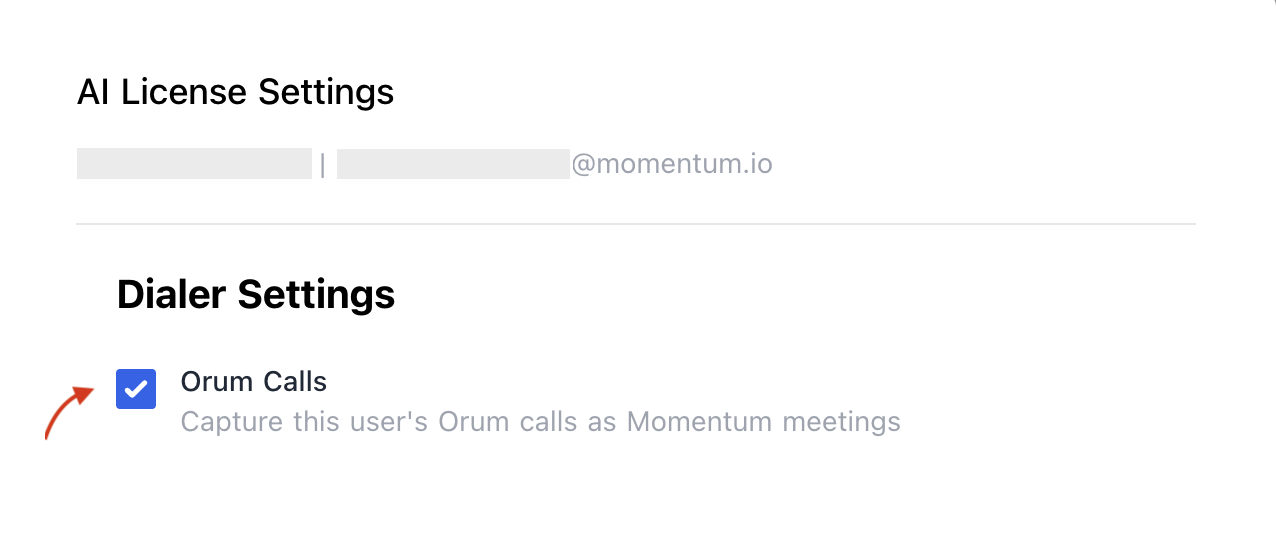
-
Enable Orum calls to sync that user’s calls.
Troubleshooting
- Calls may be missing if:
- The webhook URL is not set correctly in Orum. Verify the URL in Settings → System → Webhooks.
- The signing key in Momentum does not match the key configured in Orum. Re-enter the key in both systems.
- The call event does not have prospect information(name or phone number) associated with it.
- Calls are below the minimum duration threshold
- Calls do not have recording links
- Slack: Use your shared Momentum channel
- Email: support@momentum.io
FAQs
Is this a real-time integration?
Is this a real-time integration?
Yes. Orum sends webhook events immediately once a call is ended. Calls typically appear in Momentum within a few minutes of completion.
Do you support historical backfill?
Do you support historical backfill?
No. Orum’s webhook integration only captures calls going forward from the time the webhook is configured.
What call states are excluded?
What call states are excluded?
Calls without recordings, calls below the minimum duration threshold, and calls missing prospect details (no name or phone number) are automatically excluded.