

Overview
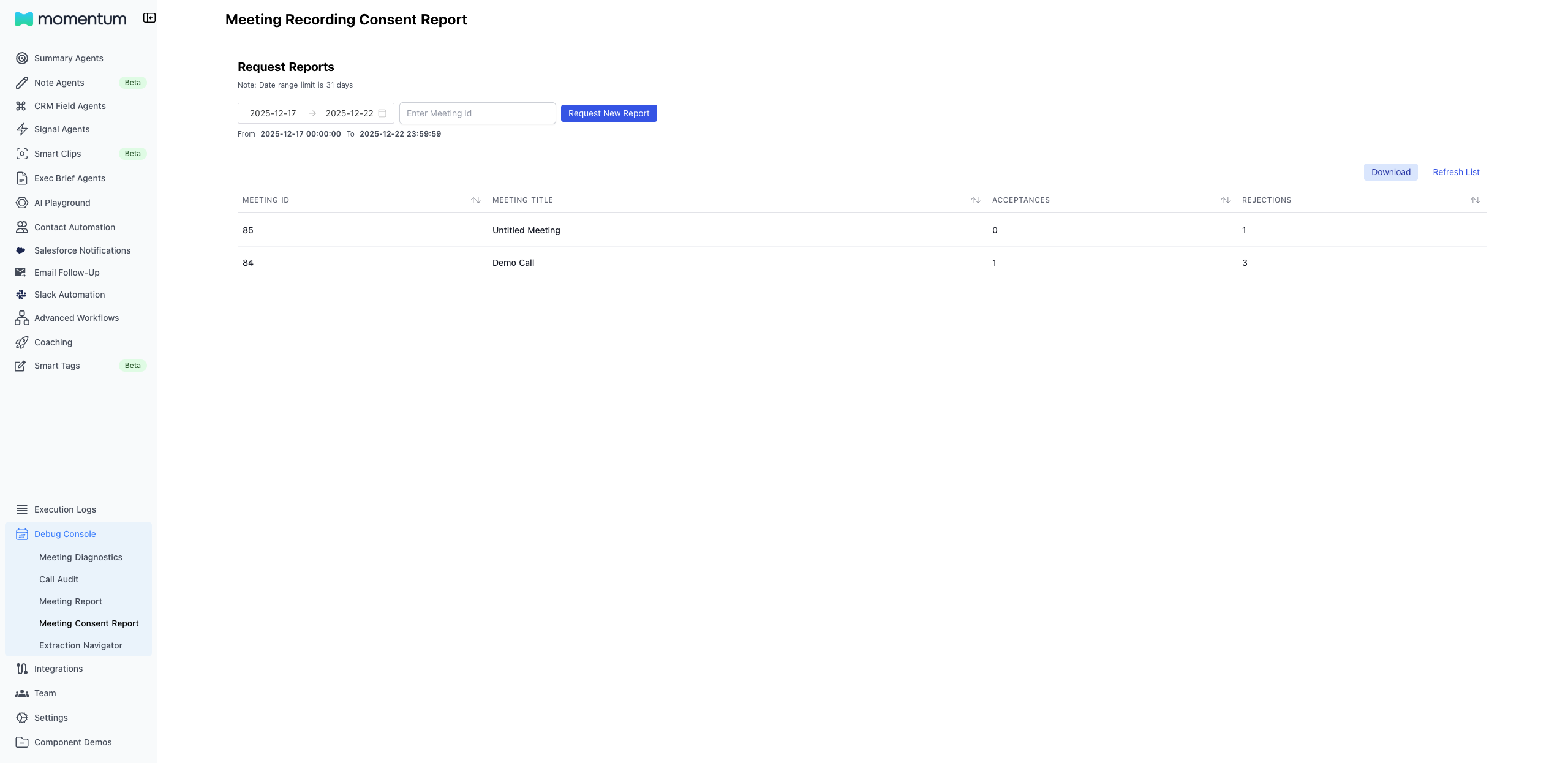
The Recording Consent Report lets Organization Admins see how many participants accepted or rejected recording consent per meeting. It displays the meeting ID, title (with an “Untitled Meeting” fallback), and acceptance/rejection counts. Admins can opt to either see all meetings in a set date range (up to 31 days) or view a specific meeting by providing the meeting ID. The report also supports the option of exporting the results as a CSV.Prerequisites
- You must be an Organizaton Admin
- The organization must have the Momentum meeting recording consent page enabled
- When selecting a date range, the range must be less than 31 days
Step-by-Step
- Sign in to the Momentum admin dashboard.
- In the left navigation, go to Debug Console → Meeting Consent Report.
- Pick a date range (max 31 days).
- (Optional) Enter a specific Meeting ID. If a Meeting ID is provided, it will disregard the set date range and prioritize searching the specified meeting.
- Click Request New Report. The table populates with the matching rows.
- Click Refresh List if you adjust filters and want to re-run.
- Click Download to export the current table as CSV.