

Overview
Momentum’s Call Remapping feature allows you to link meetings to the correct Salesforce records when automatic mapping doesn’t match your needs. We’ve enhanced the Meeting Remap experience to make it faster, clearer, and more flexible.What’s New
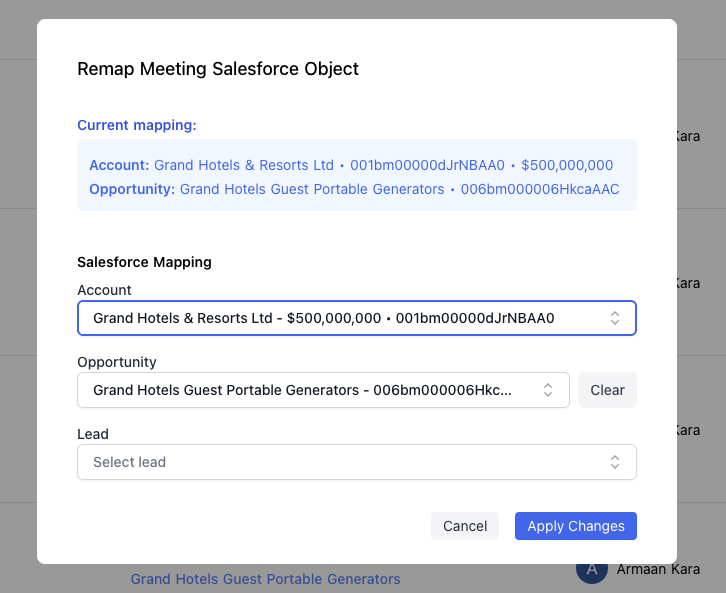
Cleaner UI
See clearer mapping details with name, ID, and ARR displayed together, along with more descriptive field placeholders and consistent styling throughout the modal.- Clear record details: View name, Salesforce ID, and ARR at a glance
- Descriptive placeholders: Easily understand what each field expects
- Consistent styling: A polished, unified interface throughout the remapping modal
Improved Search
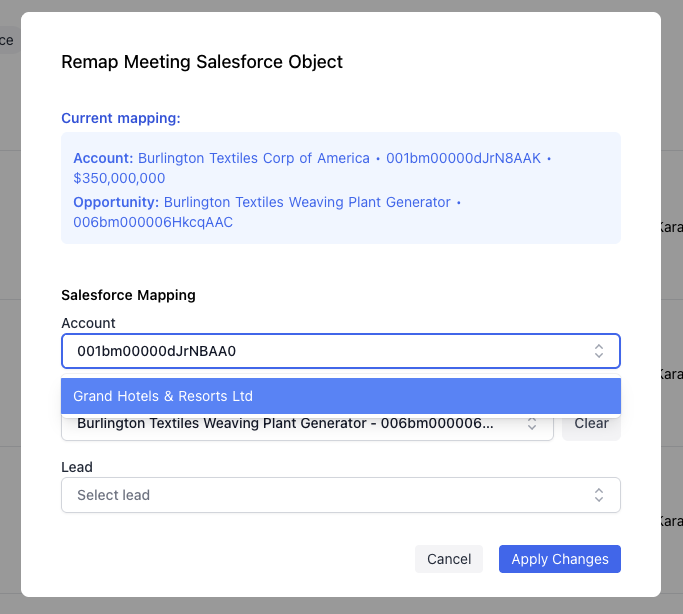
Quickly find Accounts, Opportunities, and Leads by name or Salesforce ID. You can now paste a full Salesforce ID to instantly match the correct record.- Search by name: Type any part of the Account, Opportunity, or Lead name to filter results
- Search by Salesforce ID: Paste a full Salesforce ID to instantly locate the exact record
- Fast matching: Results appear as you type for quick selection
More Flexible Remapping
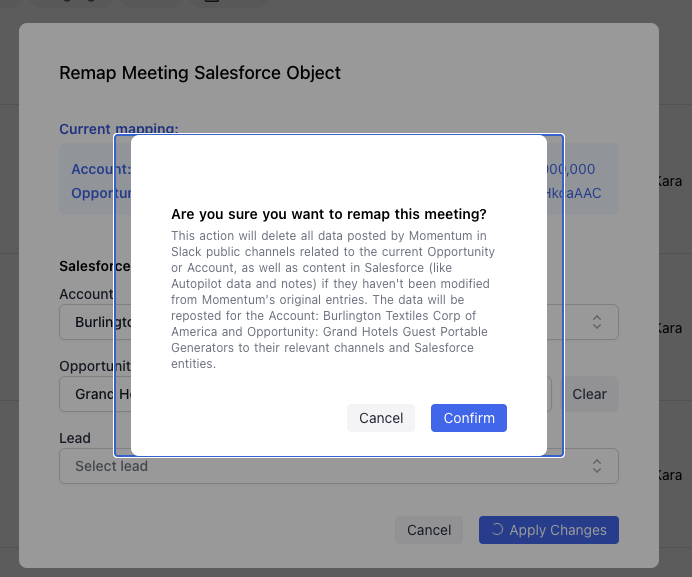
Remap meetings to a Lead without requiring an Account, and get clearer confirmation messages when remapping or unmapping records.- Lead-only remapping: Link a meeting directly to a Lead without needing an associated Account
- Clear confirmations: Receive explicit confirmation messages when remapping or unmapping records
- Flexible workflows: Support for various sales processes and CRM structures
Salesforce Data Model
An Opportunity is always a child of an Account in Salesforce—it can’t exist standalone. When you map a meeting to an Opportunity, we need the parent Account (or a Lead) to properly anchor the relationship. Why we require Account or Lead:- Opportunities are transient: They get closed (won/lost) and may be deleted, but the Account relationship persists
- Attribution & Reporting: Account/Lead is the primary entity for tracking customer engagement; Opportunity is secondary
- Data integrity: If an Opportunity is deleted, the meeting would lose its CRM context entirely without an Account/Lead fallback
Better Feedback
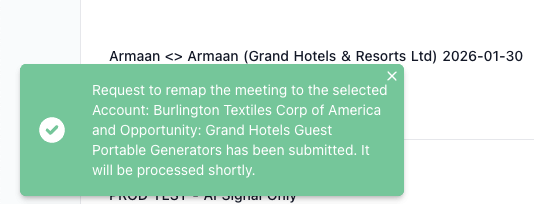
Success notifications now explicitly list the selected Account and Opportunity, so you always know exactly what was mapped.- Detailed success messages: See the specific Account and Opportunity names in confirmation notifications
- Clear status updates: Know exactly which records were linked after each action
How to Remap a Call
There are two ways to access the Remap Salesforce Object option:Option 1: From the Call Library Table
- Navigate to the Call Library in your Momentum dashboard.
- Find the call you want to remap in the table.
- Click the three vertical dots (⋮) on the call row.
- Select Remap Salesforce Object from the menu.
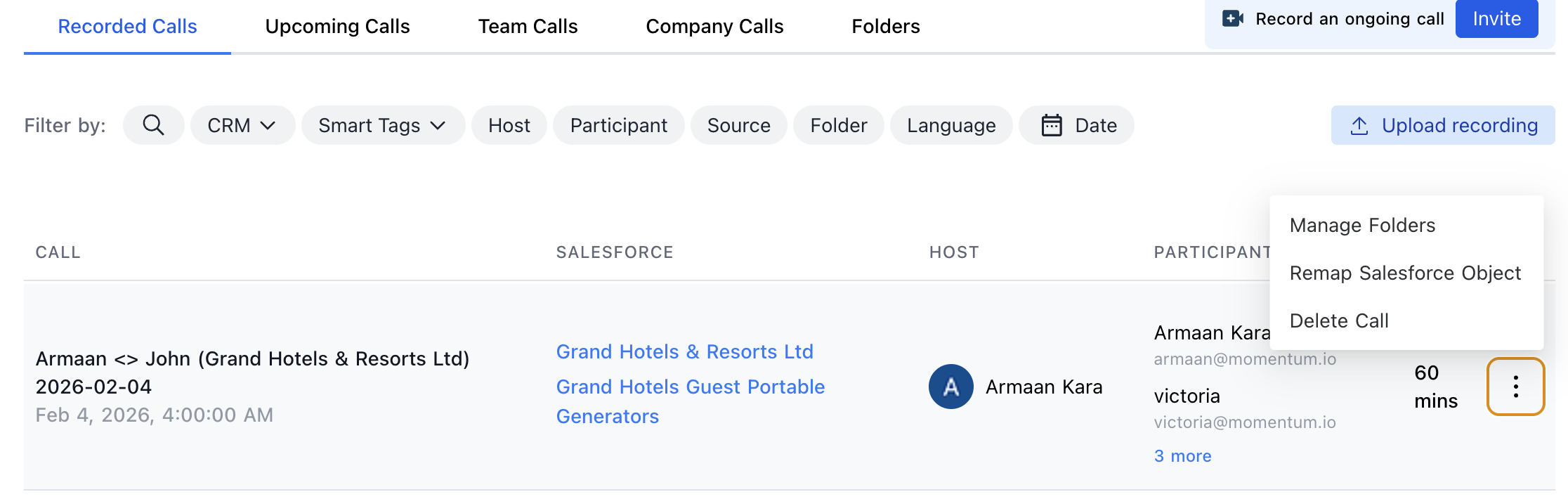
Option 2: From the Call Details Page
- Navigate to the Call Library and click on a call row to open the call details page.
- In the upper right corner, click the three horizontal dots (⋯).
- Select Remap Salesforce Object from the menu.

Complete the Remapping
Once the remapping modal opens:- Search for records: Use the search bar to find the correct Account, Opportunity, or Lead by name or Salesforce ID.
- Select the record: Click on the desired record from the search results.
- Confirm the mapping: Click Apply Changes to complete the remapping.
Use Cases
- Incorrect automatic mapping: When Momentum maps a call to the wrong Account or Opportunity, use remapping to correct it.
- New deals: Link calls to newly created Opportunities that weren’t available during the original meeting.
- Lead qualification calls: Map discovery calls directly to Leads before an Account or Opportunity exists.
- Multi-deal accounts: Ensure calls are associated with the correct Opportunity when an Account has multiple active deals.