

Overview
Daily Call Reviews send personalized email digests every morning at 8:00 AM in each recipient’s local time zone. These emails help reps prepare for upcoming calls and keep managers connected to their team’s activities.Two Features in One
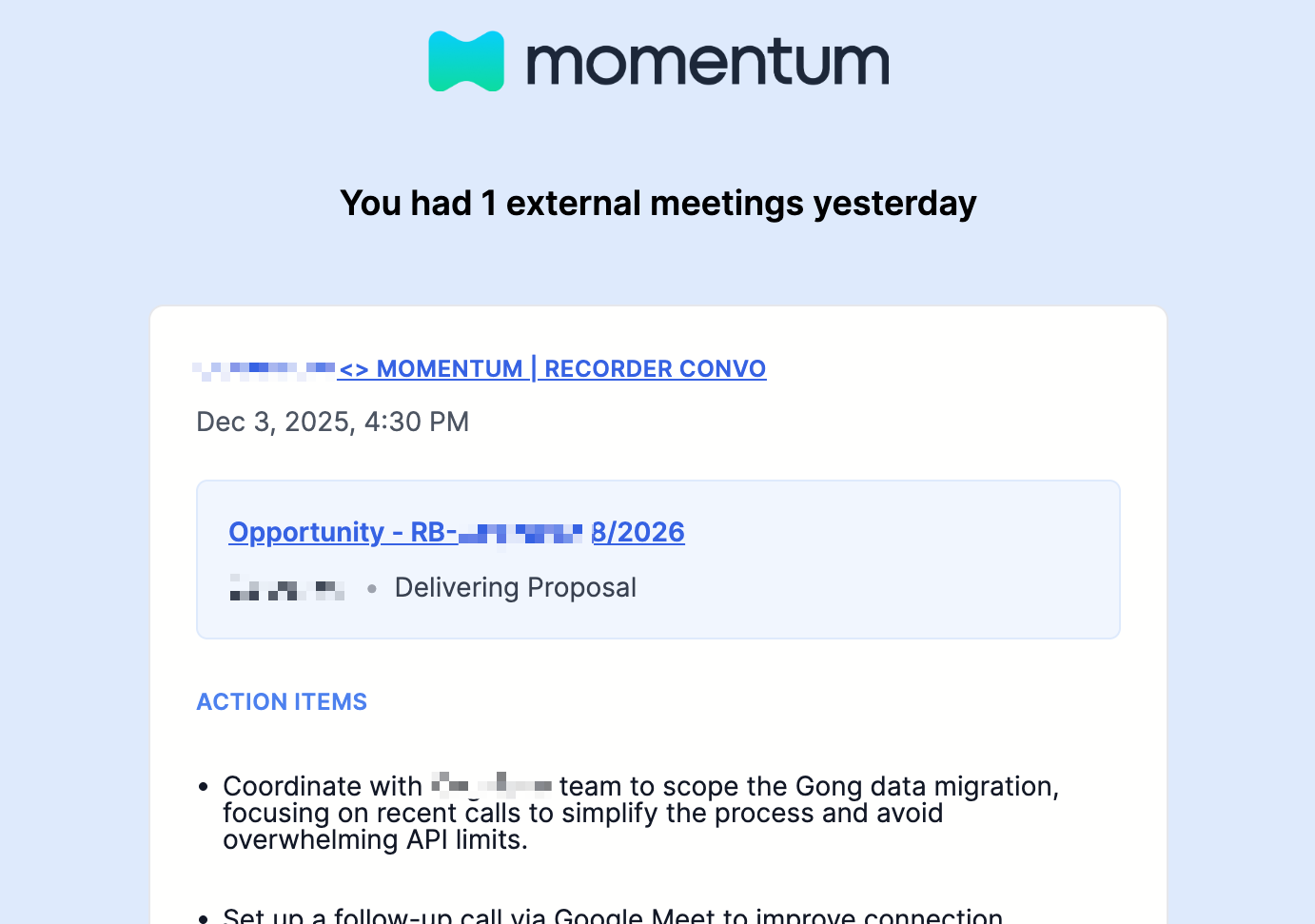
Daily Call Review for Reps- Sent to all call attendees (not just hosts)
- Includes today’s upcoming calls with context from previous meetings
- Includes yesterday’s call summaries with action items
- Subject line:
Keep the momentum daily
- Sent to team managers
- Two separate emails that can be enabled independently:
- Team Focus (Today’s Upcoming):
Momentum Daily — Team Focus - Team Recap (Yesterday’s Recap):
Momentum Daily — Team Recap
- Team Focus (Today’s Upcoming):
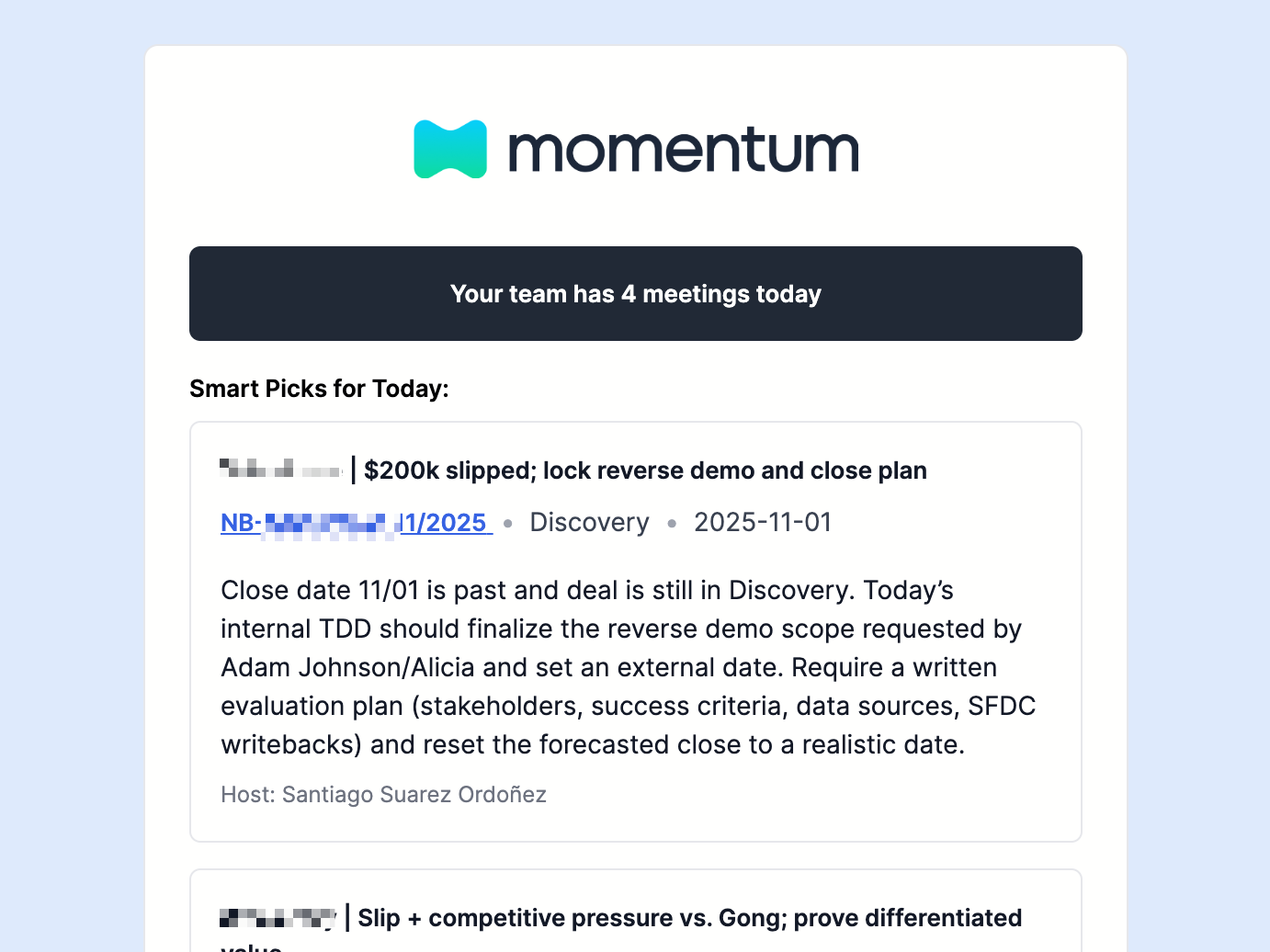
- Shows a smartly prioritized list of team meetings based on deal stage, opportunity amount, and conversation topics
Prerequisites
- Momentum AI installed with your preferred call provider
- Admin access for organization-wide settings
- Call recordings and summaries enabled
- Salesforce integration active (for contextual information)
Daily Call Review for Reps
Admin Configuration
Enable the Feature
- Log in to your Momentum admin dashboard
- Navigate to Momentum AI Settings → Email section
- Toggle Daily Call Review for Reps to ON
- Click Save settings
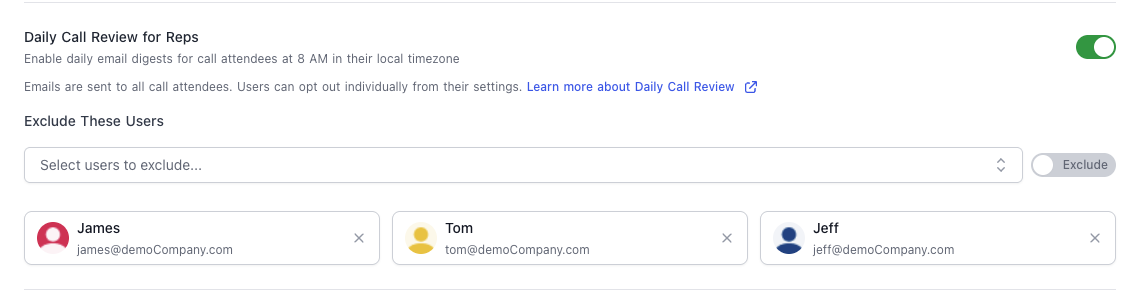
Manage Exclusions (Optional)
Use the toggle to switch between Exclude and Include modes:- Exclude mode (default): People on the list will never get emails. Add users via Select users to exclude… and save.
- Include mode: Only people on the list will receive emails; the exclude list is ignored while this is on. Add users via Select users to include… and save.
User Configuration
Users can opt out of Daily Call Reviews:- Navigate to Momentum Settings
- Locate the Daily Meeting Review card
- Toggle Daily Call Review Email to OFF to stop receiving emails
What Reps Receive
Today’s Upcoming Calls:- Meeting title, time, and participants
- Context from previous calls with the same attendees
- Associated action items from prior conversations
- Salesforce details: Account, Opportunity, Amount, Stage
- Direct link to call page
- Meeting title and time
- Compact summary (4 lines max)
- Associated action items
- Salesforce context
- Direct link to call page
Daily Call Review for Managers
Note: This feature may require a feature flag. Contact support@momentum.io if you don’t see it.Admin Configuration
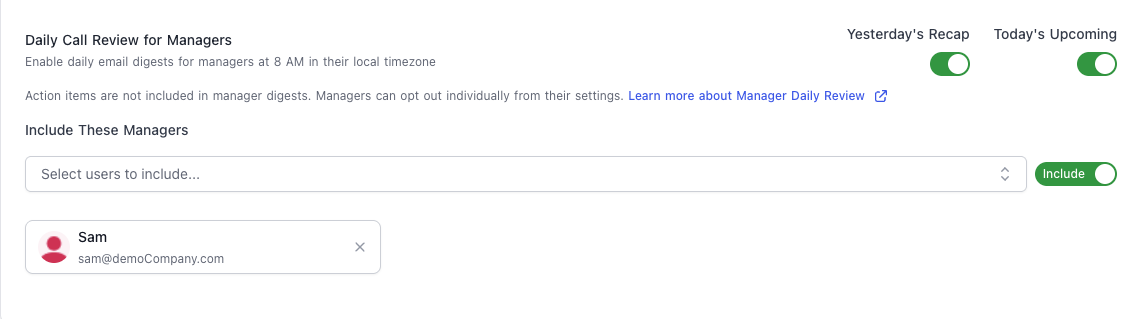
Enable Email Types
- Log in to your Momentum admin dashboard
- Navigate to Momentum AI Settings → Email section
- Locate Daily Call Review for Managers
- Subject:
Momentum Daily — Team Recap - Summaries of yesterday’s meetings for direct reports
- Subject:
Momentum Daily — Team Focus - Prep notes for today’s meetings with context from previous calls
Manage Exclusions (Optional)
Use the toggle to choose how you target manager emails:- Exclude mode (default): Managers on the list never receive either email type. Add them via Select users to exclude… and save.
- Include mode: Only managers on the list receive the emails, and the exclude list is disabled while this is on. Add them via Select users to include… and save.
Manager Configuration
Managers can opt out or customize which emails they receive:- Navigate to Momentum Settings
- Locate the Daily Meeting Review card
- Toggle Email me a daily review of my team’s meetings to OFF to stop all manager emails
- Keep the master toggle ON
- Toggle Yesterday’s Recap or Today’s Upcoming individually
What Managers Receive
Manager emails show a smartly prioritized selection of team meetings, filtered based on:- Opportunity stage and amount
- Conversation topics and key moments
- Deal importance and activity
- Subject:
Momentum Daily — Team Focus - Prioritized list of today’s scheduled meetings
- Meeting title, time, and participants
- Account and Opportunity (if mapped to Salesforce)
- Context summary from previous calls (4 lines max)
- Link to call page
- Subject:
Momentum Daily — Team Recap - Prioritized list of yesterday’s completed meetings
- Meeting title, date/time, and participants
- Account and Opportunity (if mapped)
- Compact summary (4 lines max)
- Link to call page
Troubleshooting
Not Receiving Emails?
Check in this order:- Admin Settings: Verify the feature is enabled in admin dashboard
- Exclusion List: Check if you’re on the admin’s exclusion list
- Personal Settings: Verify your toggle is ON in personal settings
- Wait for Next Email: Emails send at 8:00 AM local time; changes apply to the next scheduled email
Missing Salesforce Context?
- Verify your Salesforce integration is active
- Check that calls are mapped to Salesforce objects
- Ensure attendee emails match Salesforce Contact or Lead emails
Manager Sub-Toggles Disabled?
- Admin must enable the corresponding email type
- Contact your admin to enable it
- If the issue persists, contact support@momentum.io
Best Practices
For Admins
Rollout Strategy:- Communicate the change before enabling (users receive emails automatically)
- Start with one email type for managers before enabling both
- Use exclusions sparingly (executives or specific roles only)
- Track opt-out rates to gauge adoption
- Gather feedback on email quality and relevance
For Reps
- Review emails every morning before calls
- Click through for deeper context when needed
- Follow up on action items from previous calls
For Managers
- Skim emails to identify coaching opportunities
- Reference specific calls in 1-on-1s
- Disable email types that aren’t providing value
Support
Need help with Daily Call Reviews?- Slack: Use your shared Momentum channel
- Email: support@momentum.io