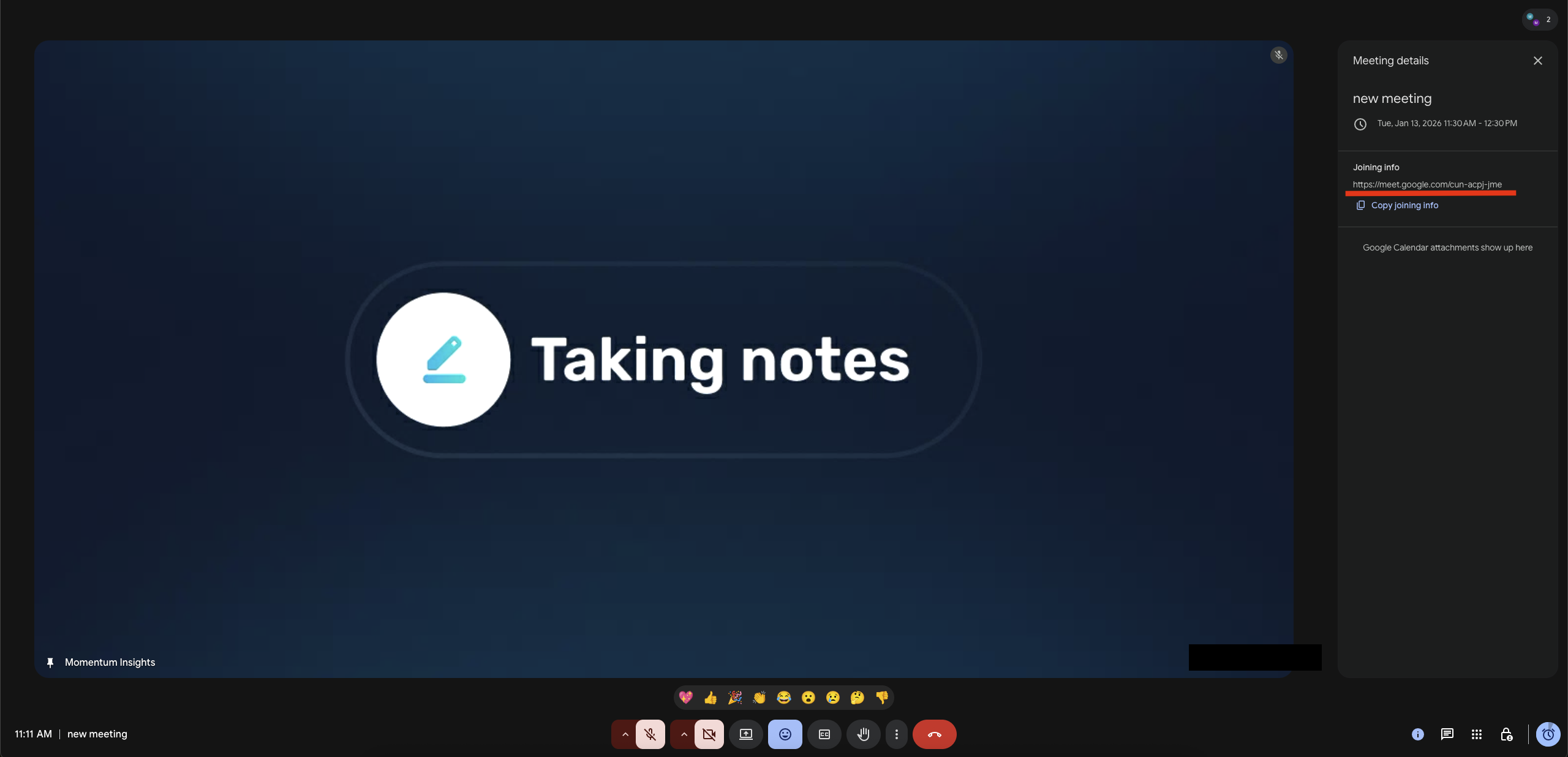

Overview
Some organizations restrict blanket recording of externally hosted calls due to privacy or consent policies. As a result, users may not have an AI seat assigned for customer-hosted calls. To address this, Momentum supports manual invitation of the recording bot to external meetings, bypassing the usual AI license checks.How It Works
- Admin Control:
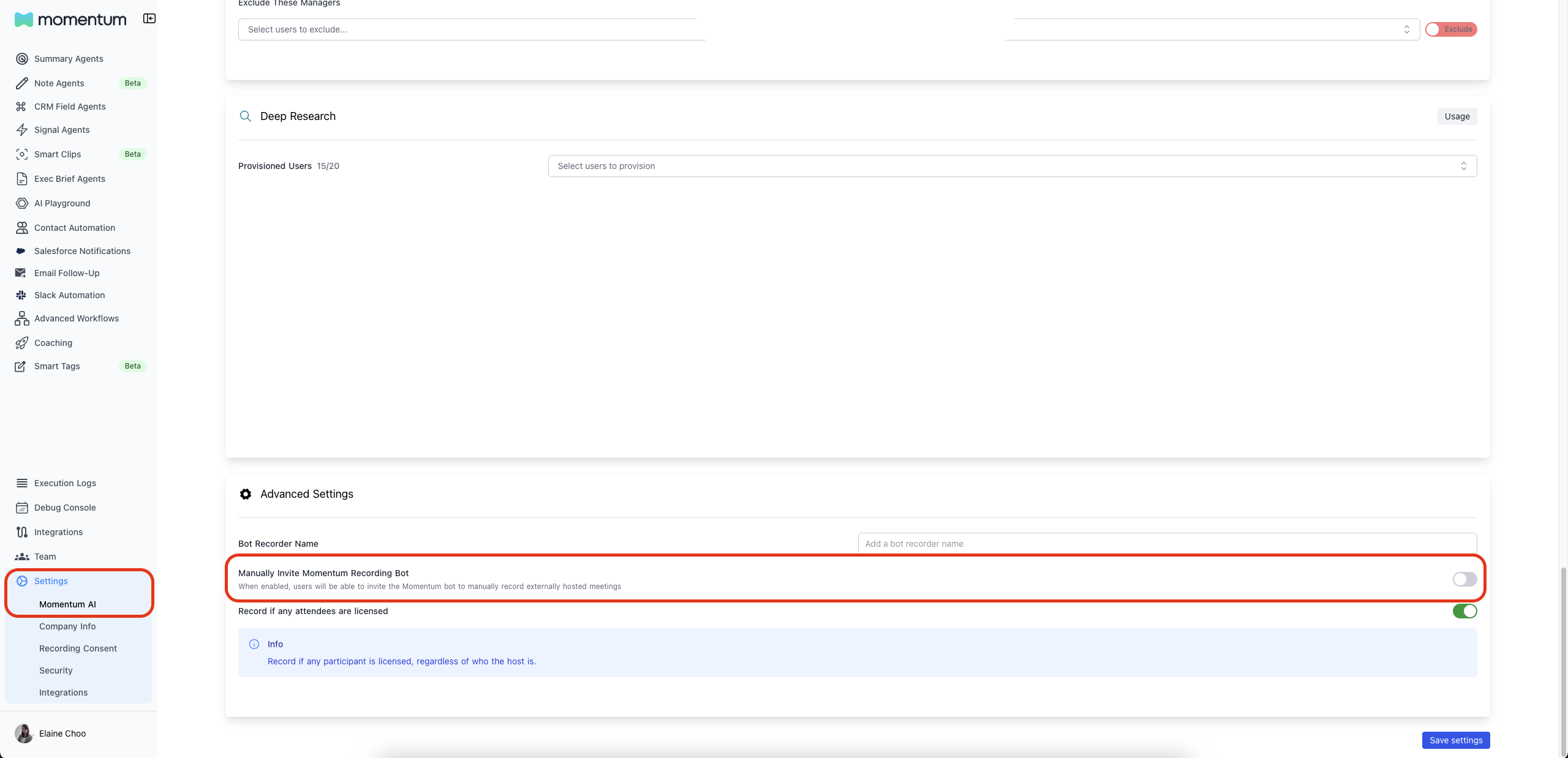
In the Momentum AI Settings page, admins can toggle the Manually Invite Momentum Recording Bot setting. - User Experience:
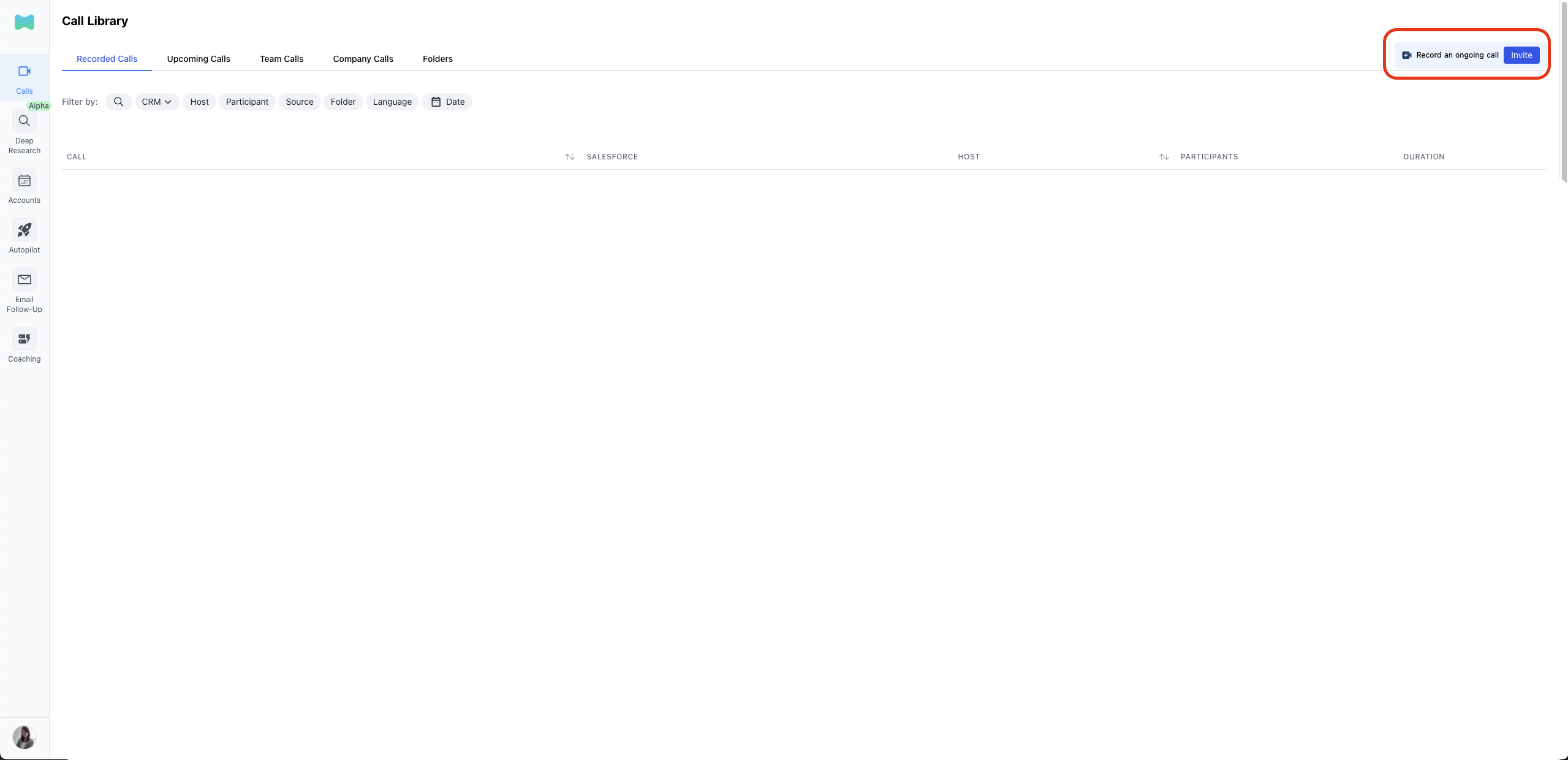
When enabled, users see an Invite button in the Call Library, allowing them to manually invite the Momentum bot to an ongoing external meeting. - License Bypass:
If the setting is enabled, users can invite the bot even if they do not have an AI license for externally hosted meetings.
Steps to Use
Admin Setup PREREQUISITE : You must be at least an Organization Admin to have access to this setting.- Go to the Momentum AI Settings page in the Admin dashboard.
- Toggle Manually Invite Momentum Recording Bot to enable manual invitations.
- Navigate to the Call Library.
- Click the Invite button.
- Enter the meeting link, title, and participant email addresses.
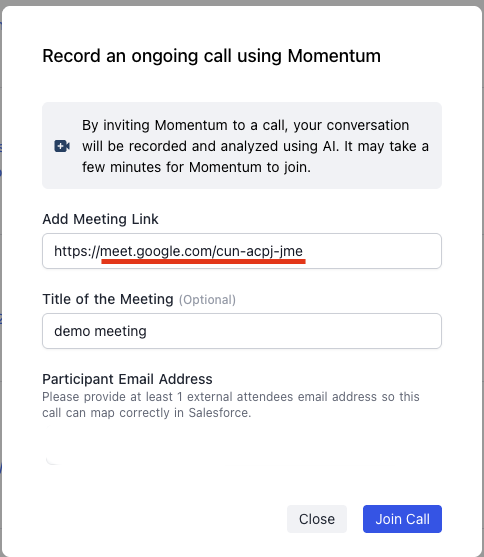
- Press Join Call and the Momentum bot will request to join your meeting.
- Admit the Momentum bot to start recording and analyzing your meetings