

Overview
By default, Momentum will inject a custom consent link everytime a new meeting is created and set to be recorded, regardless of the conference provider. This would send any attendee joining a meeting to the consent page before sending them to the meeting room. When an organization admin turns off this setting for either Zoom or other providers, the consent link will no longer collected and attendees will be prompted to the meeting room immediately.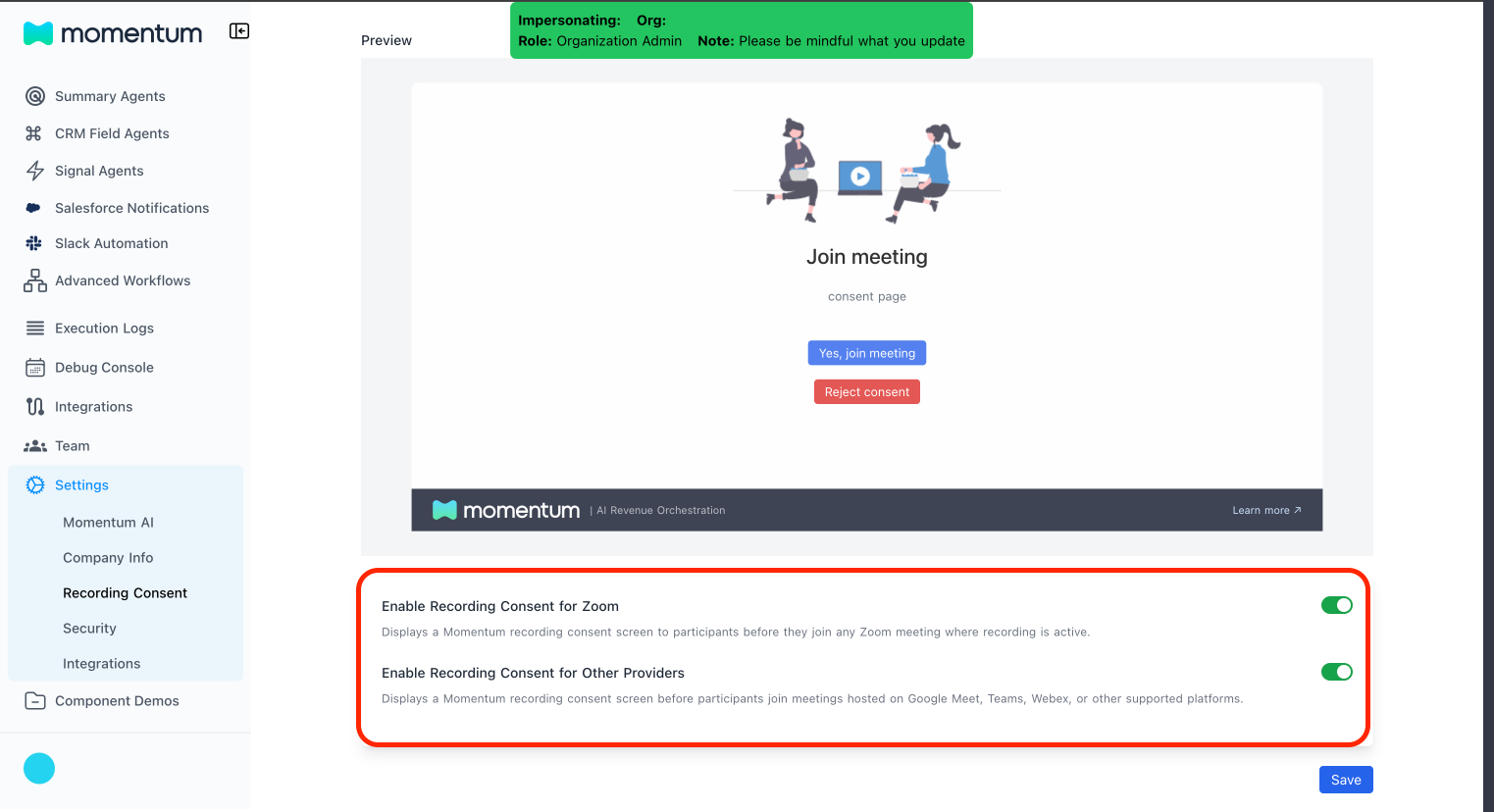
Prerequisites
- All the prerequisites listed in the recording consent page will have to be met.
- You must be an organization admin or an editor to be able to have access to this setting.
Step-By-Step Guide
- Sign in to the Momentum admin dashboard.
- In the left navigation, go to Settings → Recording Consent.
- Underneath the preview display, the toggle for enabling consent links for Zoom or other providers will show up.
- Use the toggle to enable or disable consent link injection. x
- Select Save to apply the change for the entire workspace.