> ## Documentation Index
> Fetch the complete documentation index at: https://docs.momentum.io/llms.txt
> Use this file to discover all available pages before exploring further.
# Salesforce Event Mapping
Users can now toggle the option to map their calls to Salesforce Event records.
Momentum admins can now control whether Momentum call logs are written to Salesforce Event records. Use this toggle if you need Events for reporting or automation, or leave it off if you prefer to rely on Tasks, Calls, or third-party logging.
Here are the steps to start mapping calls to Salesforce events
## Prerequisites
* You must be an **admin** user to view or change this organization-wide setting.
* Your Salesforce integration must already be connected in Momentum.
## Enable or disable the Salesforce Event toggle
1. Sign in to the [Momentum admin dashboard](https://app.momentum.io/admin/).
2. In the left navigation, go to **Settings → Momentum AI**.
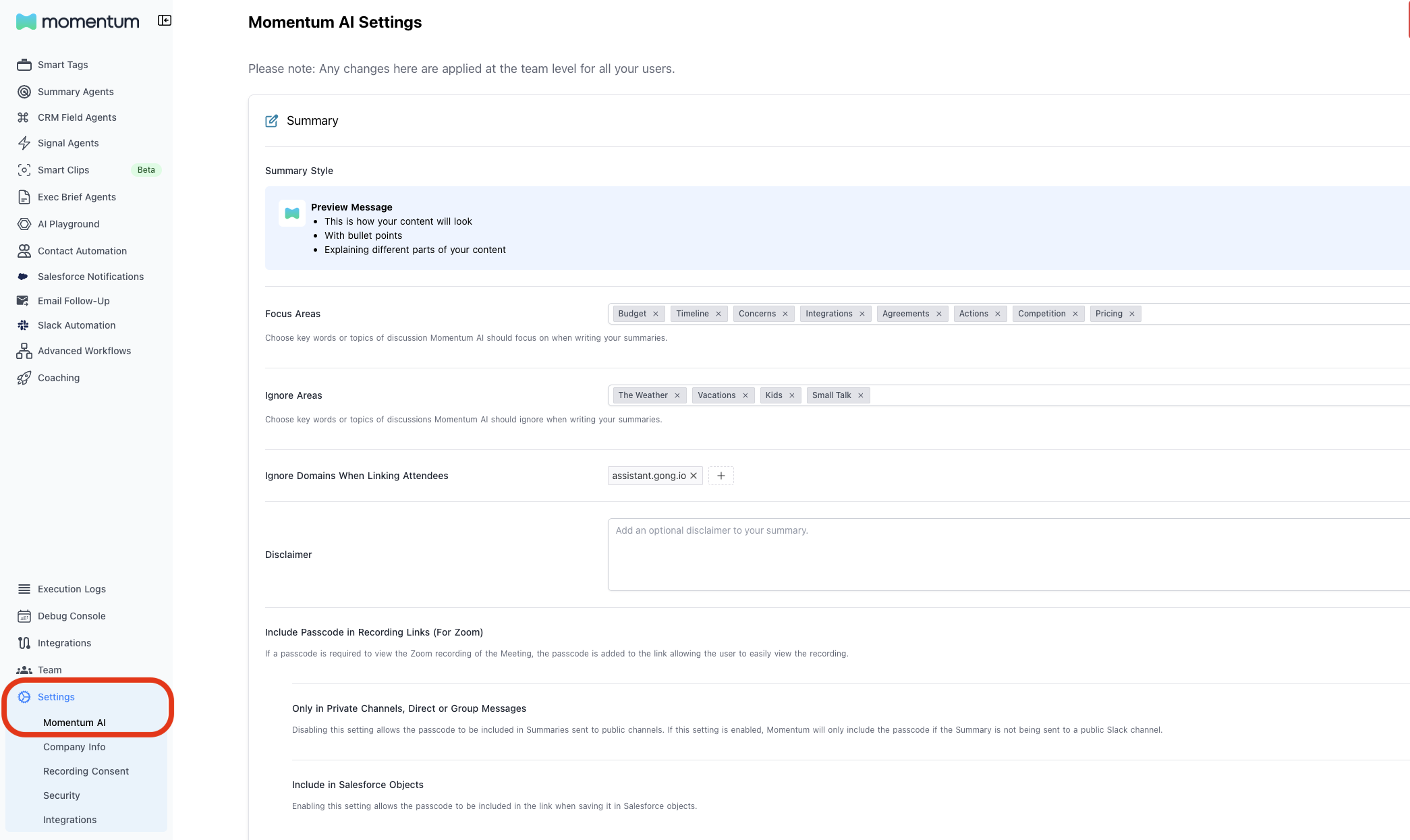 3. Scroll down until you see the **Momentum Call Salesforce Mapping** section.
4. Use the toggle to enable or disable Event mapping.
3. Scroll down until you see the **Momentum Call Salesforce Mapping** section.
4. Use the toggle to enable or disable Event mapping.
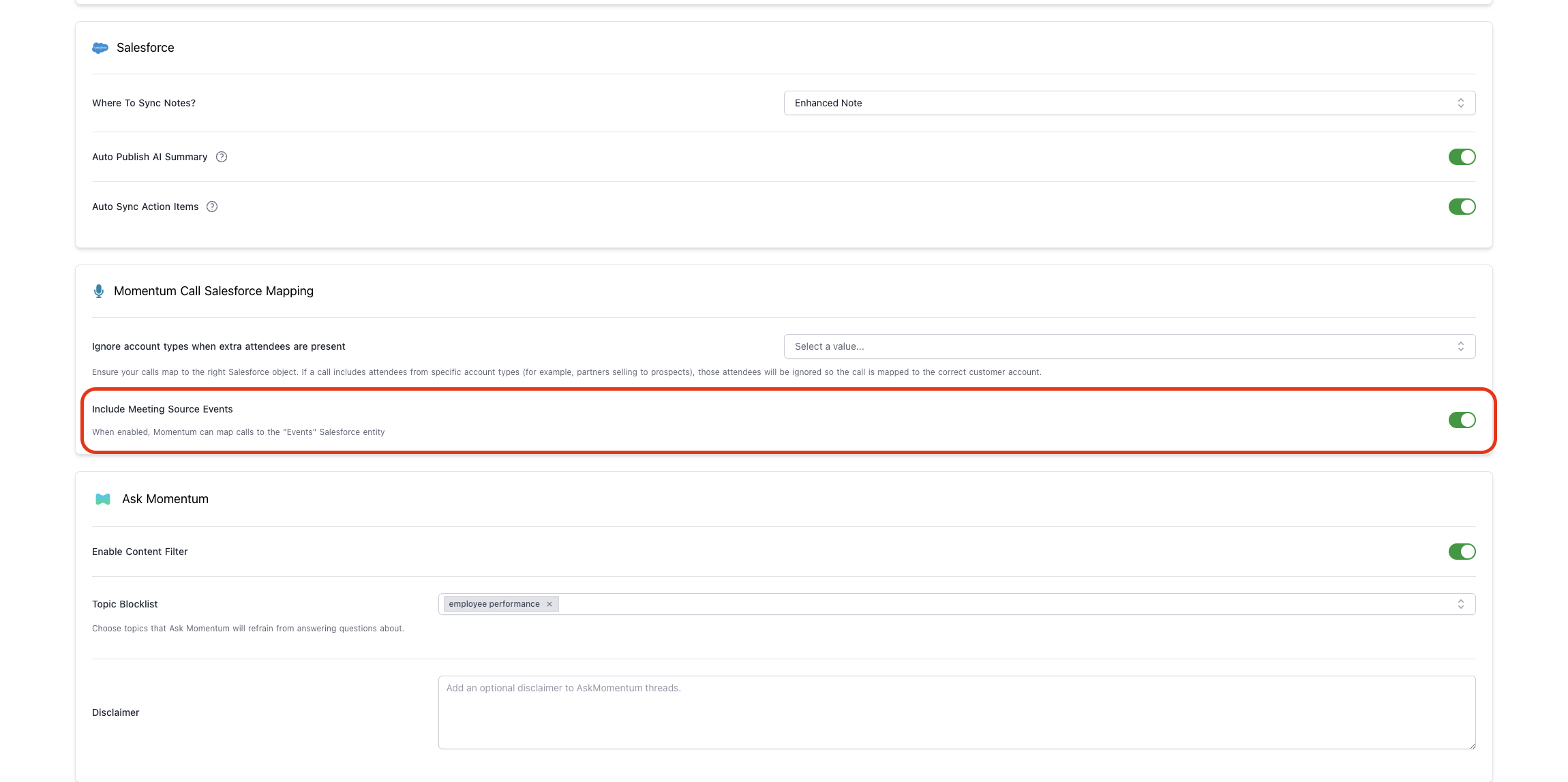 5. Select **Save** to apply the change for the entire workspace.
## What happens after you toggle the setting
* **When enabled:** Upcoming calls that Momentum processes can be mapped to Event records, allowing you to run autopilot classic workflows on Event related fields
* **When disabled:** Event mapping is unavailable, but Momentum continues to log any other Salesforce records you configure (Opportunities, Accounts, Contacts, Leads)
* Changes apply prospectively. Calls logged before enabling the toggle will not automatically backfill into Events.
5. Select **Save** to apply the change for the entire workspace.
## What happens after you toggle the setting
* **When enabled:** Upcoming calls that Momentum processes can be mapped to Event records, allowing you to run autopilot classic workflows on Event related fields
* **When disabled:** Event mapping is unavailable, but Momentum continues to log any other Salesforce records you configure (Opportunities, Accounts, Contacts, Leads)
* Changes apply prospectively. Calls logged before enabling the toggle will not automatically backfill into Events.