> ## Documentation Index
> Fetch the complete documentation index at: https://docs.momentum.io/llms.txt
> Use this file to discover all available pages before exploring further.
# Deep Research
## Overview
Momentum's Deep Research is a foundational product that enables a unique kind of structured analysis over your conversational data. Chat with Deep Research to execute 'research plans' that surface information from conversations, then aggregate, normalize, and correlate this information into actionable insights that you can trace right back to the conversations they were derived from.
### Key Capabilities
* **Natural Language Research**: Ask questions in plain English and Deep Research generates a structured plan to answer them
* **Conversation Intelligence**: Automatically extract insights from [historical conversational data](/conversational-data-sources) linked to your CRM records
* **Traceable Results**: Findings refer back to the specific customer quotes they originated from
* **Scheduled Automation**: Set up recurring reports delivered to email or Slack
* **Export & Share**: Download datasets as CSV or generate polished brief reports
## Use Cases
Deep Research excels at answering complex questions that require analyzing patterns across many deals. Here are common use cases:
### Closed-Lost Analysis
Understand why deals are being lost by analyzing closed-lost opportunities from the past 90 days.
**Example prompts:**
* "What are the top reasons deals were lost?"
* "Which competitors are mentioned most frequently in lost deals?"
* "What objections came up most often in lost deals?"
Deep Research will search through all [historical conversational data](/conversational-data-sources) associated with your closed-lost opportunities, extract the relevant information, and present normalized findings you can act on.
### Open Pipeline Risk Assessment
Identify deals at risk in your current pipeline before they slip.
**Example prompts:**
* "Which open deals have gone quiet in the last 30 days?"
* "Are there any deals where the champion has left or gone silent?"
* "Which deals have pricing objections that haven't been addressed?"
### Competitive Intelligence
Aggregate competitive mentions across your pipeline.
**Example prompts:**
* "How often is \[Competitor] mentioned in our deals?"
* "What features are prospects comparing us against competitors on?"
* "Which deals have active competitive evaluations?"
### Win Pattern Analysis
Discover what's working in your won deals.
**Example prompts:**
* "What messaging resonated most in won deals?"
* "Which stakeholders were involved in deals we won?"
### Scheduled Reports
Turn any Deep Research analysis into a recurring report. Once you've completed a research session with valuable insights, you can schedule it to run automatically and deliver updated findings on a regular cadence.
**Frequency options:**
* Daily
* Weekly
* Bi-weekly
* Monthly
* Quarterly
Scheduled reports re-run your research plan against fresh data, so you always see the latest insights without manual effort.
## Getting Started
### Provisioning
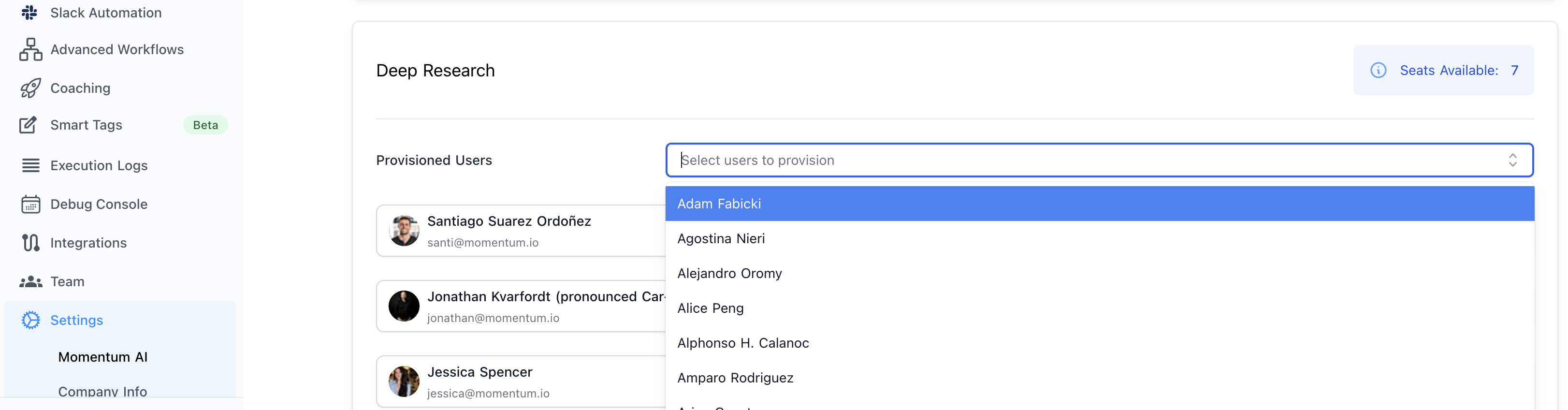
Deep Research is a seat-based product. Before users can access Deep Research, an organization administrator must provision them.
**To provision users:**
1. Navigate to your organization settings
2. Navigate to the Deep Research section
3. Add users you want to grant access to
4. Users will see Deep Research available in their Momentum workspace
Your organization has a set number of Deep Research seats based on your subscription. Contact your account manager if you need additional seats.
 ### Creating Your First Session
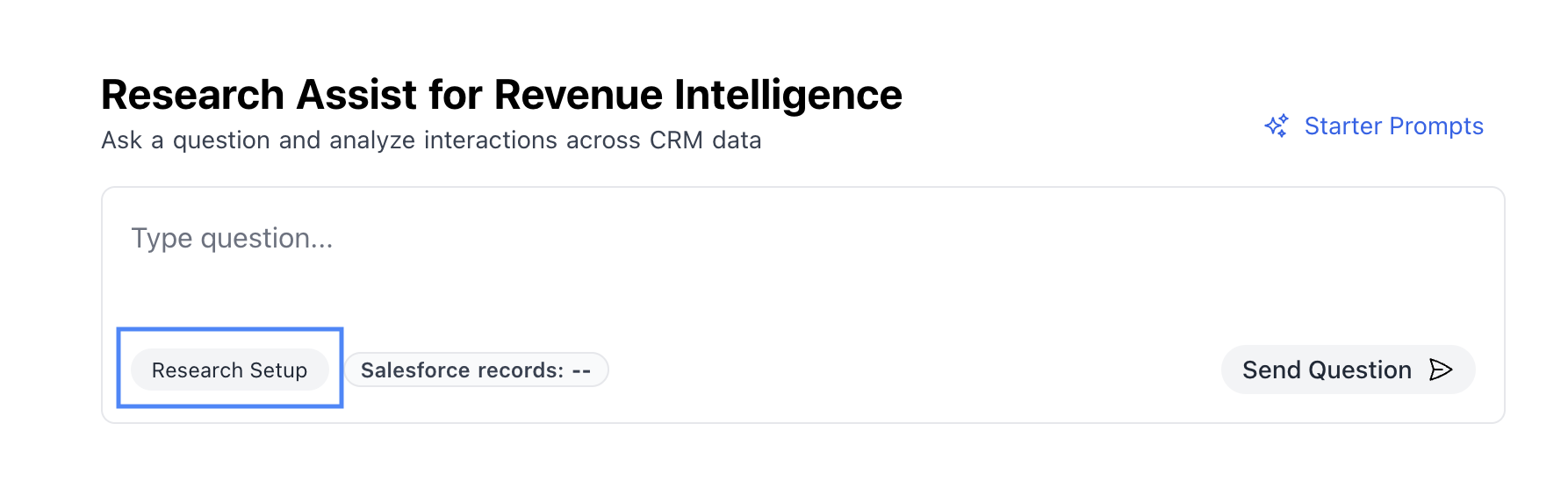
1. Configure a Research Setup
### Creating Your First Session
1. Configure a Research Setup
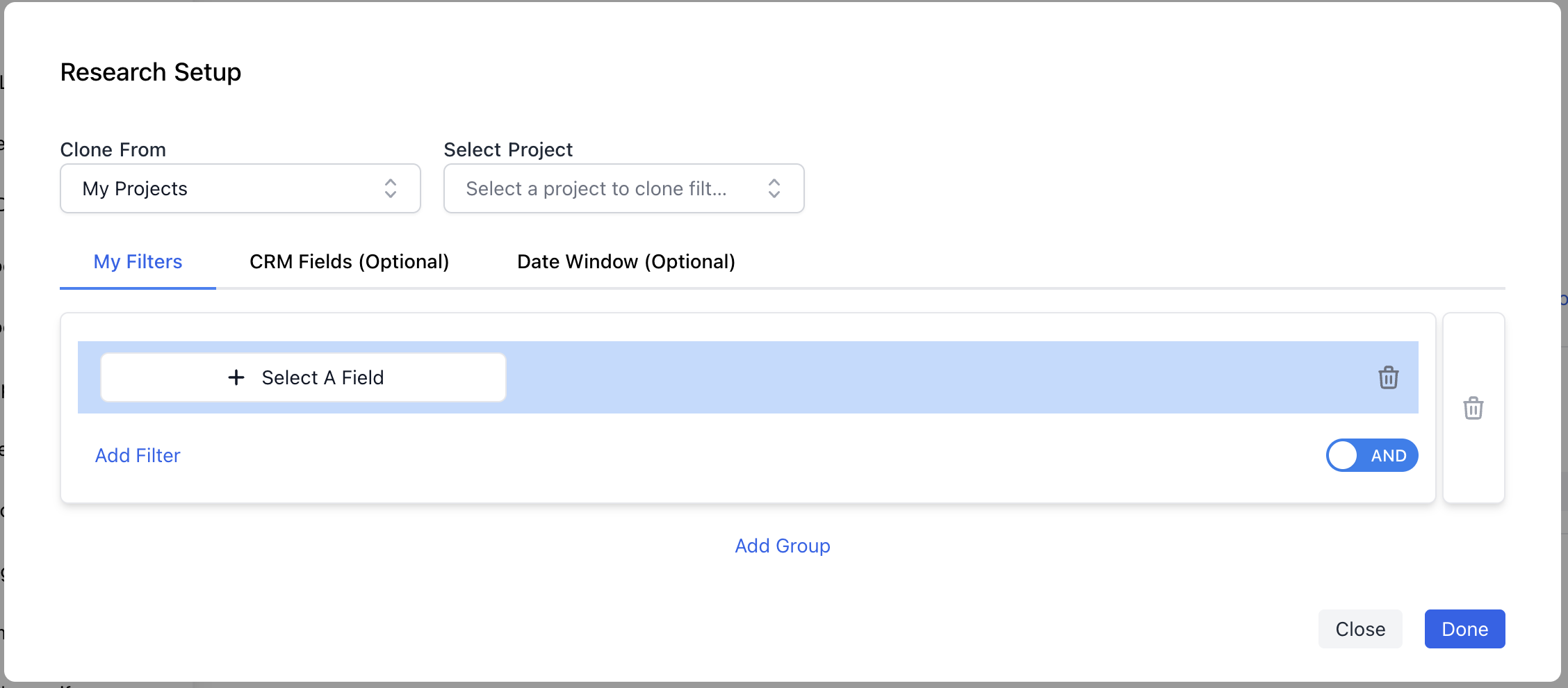
 2. **Define your Salesforce filter** to specify which records to analyze (e.g., "Closed-Lost Opportunities from the last 90 days")
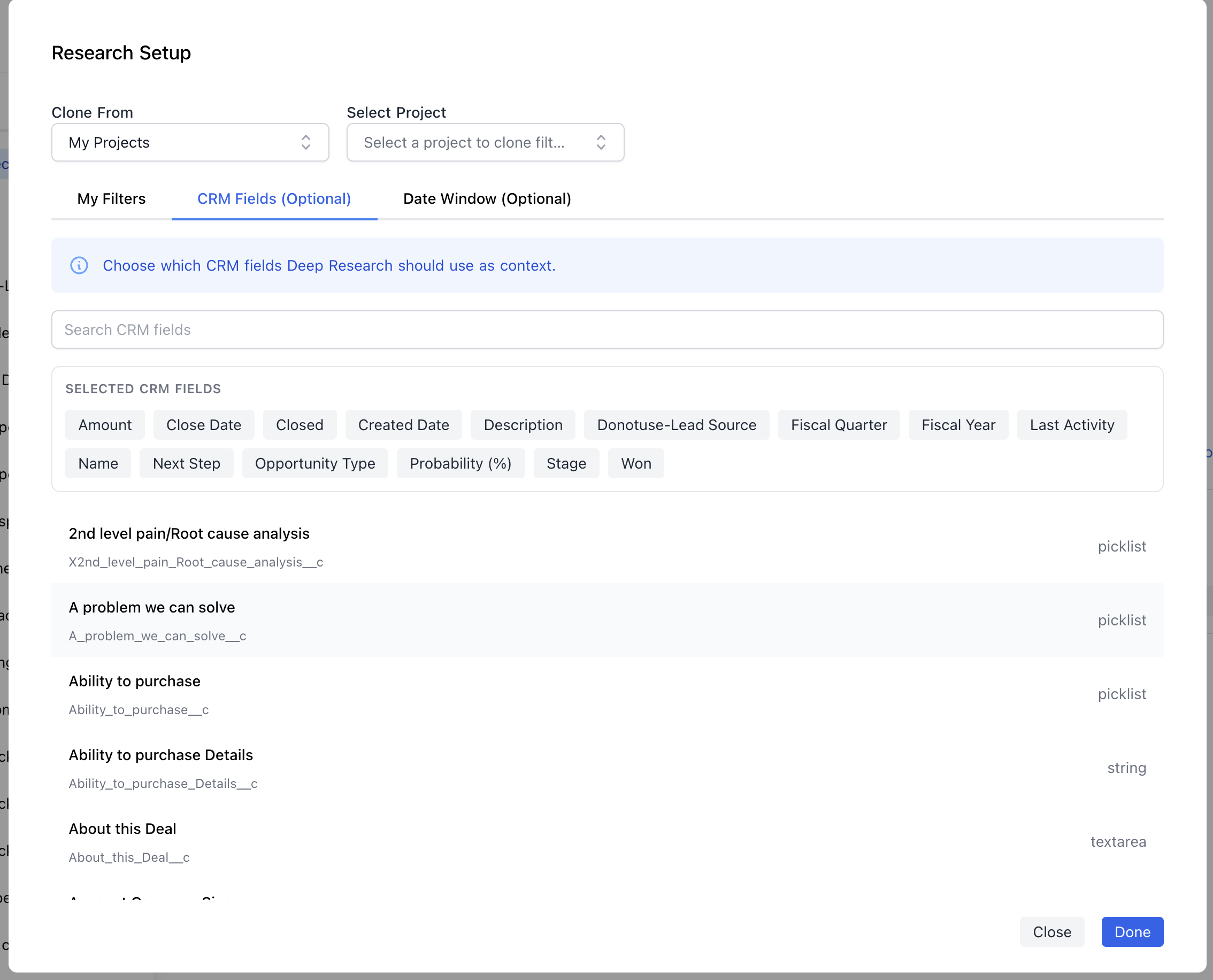
 3. (Optionally) Tell Deep Research about specific Salesforce fields you want to reference
 4. Submit a prompt
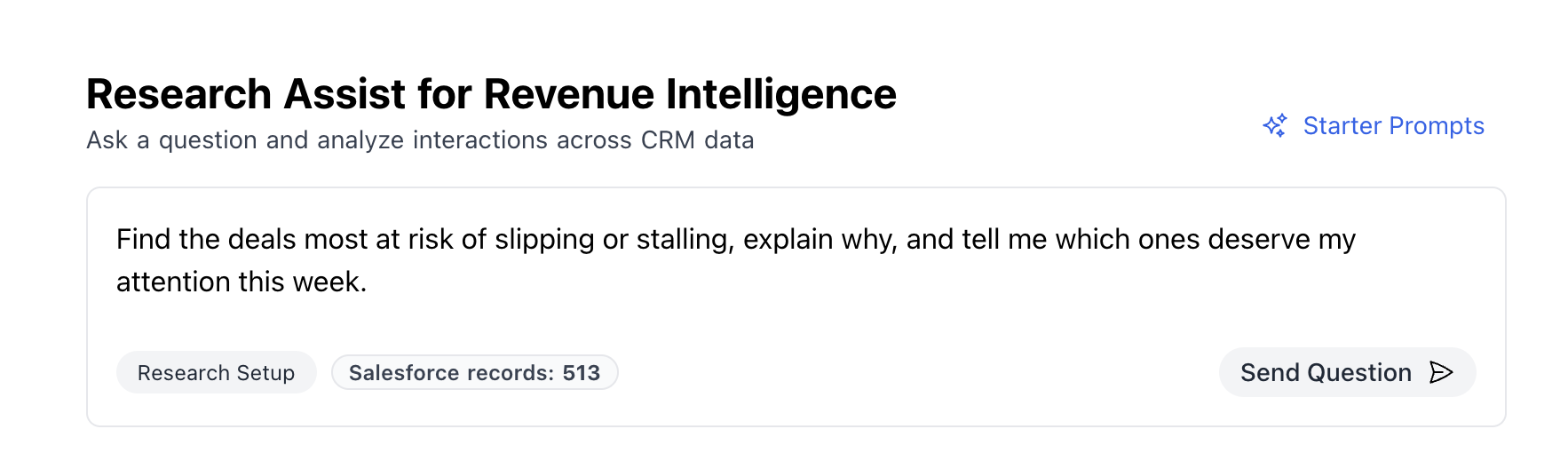 Deep Research will generate a research plan outlining the steps it will take to answer your question. Review the plan, then approve it to begin execution.
### CRM Filtering
Every Deep Research session is anchored to a Salesforce filter that defines your analysis scope. Filters use standard Salesforce query logic.
**Common filter patterns:**
| Use Case | Filter Example |
| ------------------------ | ----------------------------------------------------------------- |
| Closed-Lost (90 days) | `IsClosed = true AND IsWon = false AND CloseDate >= LAST_90_DAYS` |
| Open Pipeline | `IsClosed = false` |
| Won Deals (This Quarter) | `IsClosed = true AND IsWon = true AND CloseDate = THIS_QUARTER` |
| Enterprise Segment | `Amount >= 100000 AND IsClosed = false` |
You can also add custom Salesforce fields to your dataset for richer analysis. Deep Research automatically pulls standard Opportunity fields like Name, Amount, CloseDate, StageName, and more.
## Getting the Most Out of Deep Research
### Prompting
The quality of your results depends on asking clear, specific questions. Here are tips for effective prompting:
**Be specific about what you're looking for:**
* Instead of: "Why are we losing deals?"
* Try: "What objections or concerns did prospects raise in deals we lost?"
**Specify the output you want:**
* "List the top 5 reasons deals were lost, with the percentage of deals each reason appeared in"
* "Categorize each deal by the primary competitor mentioned"
**Ask follow-up questions:**
After your initial analysis, drill deeper with follow-ups:
* "Of the deals lost to pricing, what specific pricing concerns were raised?"
* "Show me the deals where \[Competitor X] was mentioned"
**Use starter templates:**
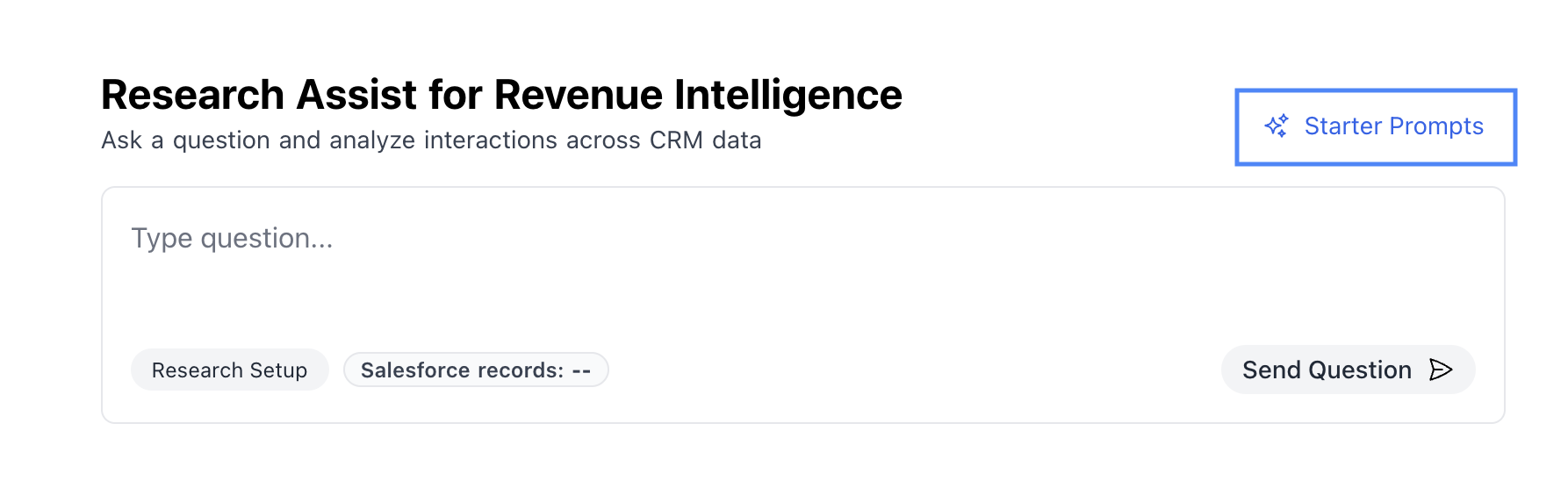
Deep Research offers pre-built starter templates for common analyses like Closed-Lost Analysis and Open Pipeline Risk. These are a great way to get started quickly.
Deep Research will generate a research plan outlining the steps it will take to answer your question. Review the plan, then approve it to begin execution.
### CRM Filtering
Every Deep Research session is anchored to a Salesforce filter that defines your analysis scope. Filters use standard Salesforce query logic.
**Common filter patterns:**
| Use Case | Filter Example |
| ------------------------ | ----------------------------------------------------------------- |
| Closed-Lost (90 days) | `IsClosed = true AND IsWon = false AND CloseDate >= LAST_90_DAYS` |
| Open Pipeline | `IsClosed = false` |
| Won Deals (This Quarter) | `IsClosed = true AND IsWon = true AND CloseDate = THIS_QUARTER` |
| Enterprise Segment | `Amount >= 100000 AND IsClosed = false` |
You can also add custom Salesforce fields to your dataset for richer analysis. Deep Research automatically pulls standard Opportunity fields like Name, Amount, CloseDate, StageName, and more.
## Getting the Most Out of Deep Research
### Prompting
The quality of your results depends on asking clear, specific questions. Here are tips for effective prompting:
**Be specific about what you're looking for:**
* Instead of: "Why are we losing deals?"
* Try: "What objections or concerns did prospects raise in deals we lost?"
**Specify the output you want:**
* "List the top 5 reasons deals were lost, with the percentage of deals each reason appeared in"
* "Categorize each deal by the primary competitor mentioned"
**Ask follow-up questions:**
After your initial analysis, drill deeper with follow-ups:
* "Of the deals lost to pricing, what specific pricing concerns were raised?"
* "Show me the deals where \[Competitor X] was mentioned"
**Use starter templates:**
Deep Research offers pre-built starter templates for common analyses like Closed-Lost Analysis and Open Pipeline Risk. These are a great way to get started quickly.
 ### Creating a new plan
Your first prompt will always trigger Deep Research to create a research plan.
After that point, it's up to you whether or not Deep Research should continue to perform research, or if it should use the data at hand to answer your question.
### Creating a new plan
Your first prompt will always trigger Deep Research to create a research plan.
After that point, it's up to you whether or not Deep Research should continue to perform research, or if it should use the data at hand to answer your question.
 When you select 'Create New Plan', Deep Research will *build* on your existing results and fetch more information to add to the dataset.
In this way, you can conduct analysis in a step-by-step fashion, creating consecutive research plans as you better understand your data.
When 'Create New Plan' is not selected, Deep Research will only look at the active dataset to answer your question.
This is much faster then proposing and running a research plan, and is useful for re-interpreting results, or fetching more details for specific rows in the dataset.
### Diving Deep
Deep Research plans consist of several operation types that work together:
* **Research Each Row**: Searches conversations linked to each record and extracts specific information using AI
* **Transform Rows**: Derives new insights by combining existing columns
* **Normalize**: Standardizes free-text responses into consistent categories for easier analysis
* **Get Column Info**: Analyzes a column to show distributions, counts, and patterns
As your plan executes, you'll see progress updates in real-time. Once complete, you can:
* **Create a brief**: Generate a polished report summarizing key insights
* **Export to CSV**: Download the full dataset for further analysis
* **Schedule the report**: Set up recurring delivery of this analysis
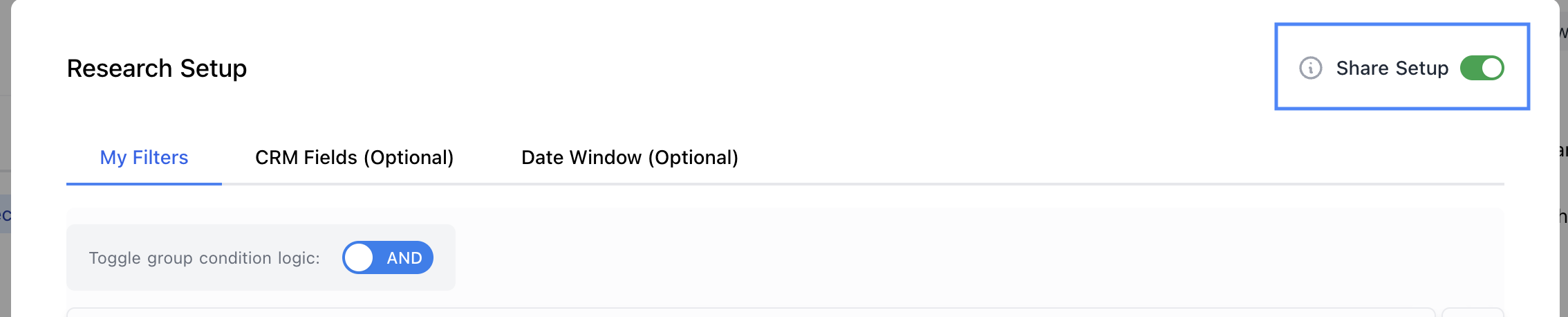
* **Share the session**: Collaborate with teammates by sharing your research session
When you select 'Create New Plan', Deep Research will *build* on your existing results and fetch more information to add to the dataset.
In this way, you can conduct analysis in a step-by-step fashion, creating consecutive research plans as you better understand your data.
When 'Create New Plan' is not selected, Deep Research will only look at the active dataset to answer your question.
This is much faster then proposing and running a research plan, and is useful for re-interpreting results, or fetching more details for specific rows in the dataset.
### Diving Deep
Deep Research plans consist of several operation types that work together:
* **Research Each Row**: Searches conversations linked to each record and extracts specific information using AI
* **Transform Rows**: Derives new insights by combining existing columns
* **Normalize**: Standardizes free-text responses into consistent categories for easier analysis
* **Get Column Info**: Analyzes a column to show distributions, counts, and patterns
As your plan executes, you'll see progress updates in real-time. Once complete, you can:
* **Create a brief**: Generate a polished report summarizing key insights
* **Export to CSV**: Download the full dataset for further analysis
* **Schedule the report**: Set up recurring delivery of this analysis
* **Share the session**: Collaborate with teammates by sharing your research session
 ## Understanding Credits
Deep Research uses a credit system to manage usage. Your organization has a monthly credit budget, and different operations consume different amounts of credits.
**Credit consumption by operation:**
| Operation | Credit Cost |
| ----------------- | --------------------- |
| Research Each Row | 1 credit per row |
| Transform Rows | 1 credit per 100 rows |
| Normalize | 1 credit per 20 rows |
| Get Column Info | Free |
| Fetch Information | Free |
## Pricing
Deep Research is available as an add-on module. Contact your Momentum account manager for pricing details and to enable the module for your organization.
Your subscription includes:
* A set number of user seats
* A monthly credit allocation
* Access to all Deep Research features including scheduled reports
Additional seats and credits can be added to your subscription as needed.
## Understanding Credits
Deep Research uses a credit system to manage usage. Your organization has a monthly credit budget, and different operations consume different amounts of credits.
**Credit consumption by operation:**
| Operation | Credit Cost |
| ----------------- | --------------------- |
| Research Each Row | 1 credit per row |
| Transform Rows | 1 credit per 100 rows |
| Normalize | 1 credit per 20 rows |
| Get Column Info | Free |
| Fetch Information | Free |
## Pricing
Deep Research is available as an add-on module. Contact your Momentum account manager for pricing details and to enable the module for your organization.
Your subscription includes:
* A set number of user seats
* A monthly credit allocation
* Access to all Deep Research features including scheduled reports
Additional seats and credits can be added to your subscription as needed.